Note: The following information is provided as a convenience. Swiftpage ACT!, LLC, MyActLogin.com, do not provide support for Google Corporation products. The settings depicted in this document come from Google Chrome Version 56.0.2924.87 (64-bit).
To allow ACT! Premium for Web use pop-up windows, Google Chrome Settings must be configured.
Allowing Pop-ups from Servers Hosting MyActDb.com Customers
- Launch Google Chrome.
- Select the Customize and control Google Chrome Icon.
- Select Settings.
- Select Show advanced settings.
-
Select
the Privacy - Content settings… button
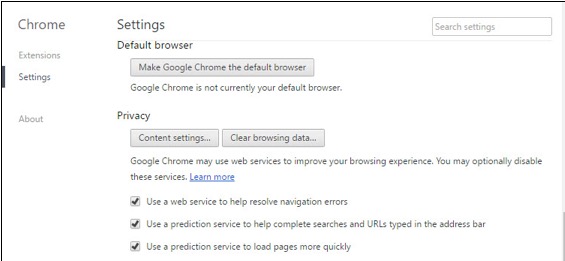
-
Locate and select the Pop-ups Manage exceptions button in
the Content Settings window. Then select that button.
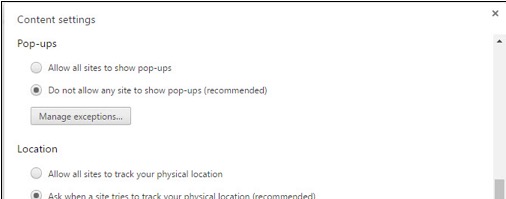
-
In the Pop-up exceptions window add the following text in
the Hostname pattern box: [*.]myactdb.com, make sure Allow is selected and
select Done.
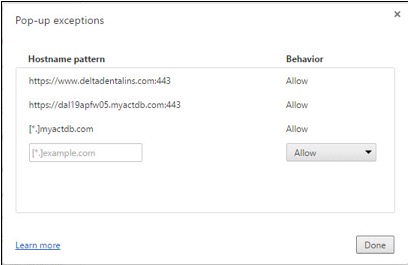
- Close the Content Settings window, and close the Settings Tab.